
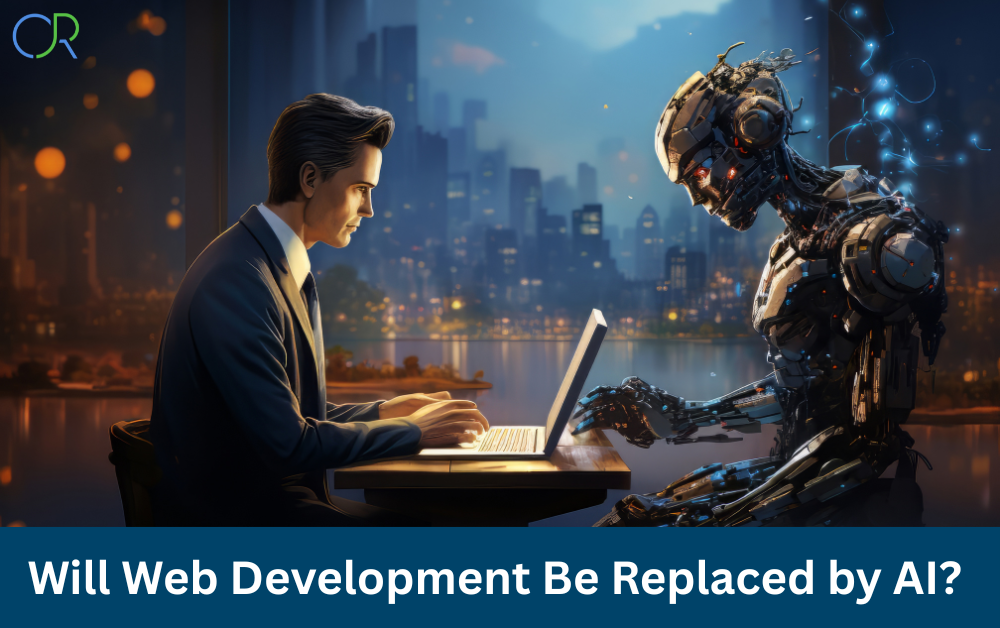
Will AI take over web development? Discover the truth about AI vs. human developers, its impact on coding, and the future of web development in this detailed analysis.
The Big Question, Will AI Replace Web Development?
Let’s be honest, AI is not coming for web developers’ jobs anytime soon. Many people believe that artificial intelligence will completely replace human developers, leaving programmers jobless. But that’s far from reality! Yes, AI is getting smarter, and no-code platforms are making web design easier, but does that mean AI can fully take over web development? Not quite.
Think about it, web development isn’t just about writing code. It’s about solving problems, understanding user needs, designing creative interfaces, and making websites functional. AI may automate certain tasks, but can it think like a human, be creative, or understand business goals the way a developer does?
In this blog, we’ll break down the real impact of AI on web development and answer the burning question: Will AI take over web development completely, or is it just another tool in a developer’s arsenal?
2. How AI is Already Changing Web Development
AI is not replacing web developers, it’s helping them. The truth is, AI is making development faster, smarter, and more efficient, but it still needs human input. Let’s take a closer look at how AI is already transforming web development.
AI-Powered Tools for Web Development
AI-powered tools are already speeding up web development. Platforms like Wix ADI, Framer AI, and 10Web can automatically generate websites in minutes. These tools use machine learning to understand design patterns and create layouts that look professional.
However, here’s the catch: they can’t replace a skilled developer. AI-generated websites often lack customization, flexibility, and uniqueness—something human developers excel at. So, is AI replacing front-end developers? Not really!
No-Code & Low-Code Platforms vs. Traditional Development
Platforms like Webflow, Bubble, and Adalo allow people to build websites without writing a single line of code. Sounds amazing, right? But here’s the thing:
No-code tools are great for simple websites, but they struggle with complex applications.
Businesses still need custom solutions, backend integrations, and performance optimization—things AI can’t handle alone.
Web developers now focus more on logic, UX, and problem-solving instead of repetitive coding.
So, AI isn’t replacing developers—it’s changing their role! Instead of writing basic code, developers now focus on creativity, strategy, and problem-solving.
AI-Generated Websites vs. Human-Made Ones
Let’s compare:
| Feature | AI-Generated Websites | Human-Developed Websites |
| Speed | Super Fast (minutes) | Slower (weeks/months) |
| Customization | Limited | Unlimited |
| Creativity | Based on Patterns | Unique & tailored |
| Seo Optimization | Basic | Advanced |
| User Experience | Generic | Custom & optimized |
Sure, AI can generate a website quickly, but when it comes to branding, unique functionality, and performance, it still falls short.
AI in Automating Web Development Tasks
AI is great at handling repetitive tasks, such as:
- Auto-generating boilerplate code (e.g., ChatGPT writing HTML & CSS)
- Debugging code faster with AI-powered suggestions
- Optimizing website speed & SEO with AI-driven tools like RankMath & Surfer SEO
- Improving UX/UI design using AI-based heatmaps
But here’s the thing: AI can’t replace human decision-making. Developers understand business needs, user intent, and creative vision—something AI can’t replicate.
Will AI Replace Frontend Developers?
Frontend developers handle HTML, CSS, JavaScript, and UX/UI design. While AI can assist with coding, it can’t fully take over.
AI-generated code still needs human supervision to fix errors and improve quality.
AI can’t understand emotions, creativity, or unique branding needs the way a human can.
AI tools are only as good as the data they’re trained on—they lack original thinking.
So, while AI enhances frontend development, it won’t replace the need for skilled web developers.
3. The Limitations of AI in Web Development
Many people assume that AI is so powerful that it can replace human developers entirely. But that’s far from the truth. AI is a tool, not a replacement. While it can automate repetitive coding tasks, it still lacks creativity, problem-solving skills, and human intuition.
Let’s explore why AI can’t fully take over web development and where it still falls short.
AI Can’t Think Creatively Like Humans
Web development isn’t just about writing code—it’s about creativity and problem-solving. AI works by recognizing patterns, but it doesn’t have imagination. It can generate designs, but can it create something truly unique and innovative? Not really.
For example:
AI might suggest a website layout based on past designs, but it can’t invent something fresh and groundbreaking.
AI can write content, but it lacks the emotional intelligence to understand user intent properly.
That’s why professional developers and designers are still needed to bring real creativity to the table.
AI Struggles with Complex Problem-Solving
A big part of web development is solving real-world problems. Developers create custom solutions for businesses, optimize user experiences, and troubleshoot technical issues. AI, on the other hand, can only follow pre-defined algorithms.
Imagine you’re building a complex eCommerce website with dynamic features, third-party integrations, and a unique checkout process. AI tools like Wix ADI or 10Web might generate a basic structure, but can they:
- Understand business needs and tailor the website accordingly?
- Debug complex errors that require deep analysis?
- Create seamless backend functionality for a custom database?
- The answer is no—human expertise is still required!
AI Lacks User-Centric Decision-Making
A successful website isn’t just about its code, it’s about how users interact with it. Developers analyze:
- User behavior (what they click on, what they ignore)
- Accessibility needs (making sure the site is user-friendly for all)
- Performance optimization (reducing loading times, improving navigation)
AI doesn’t have the empathy or strategic thinking to make these decisions effectively. It can suggest improvements, but humans make the final call.
Security Risks and Ethical Issues
AI-generated websites may look good on the surface, but they often come with security vulnerabilities. Since AI doesn’t understand cybersecurity best practices, it may:
- Generate insecure code that hackers can exploit
- Miss critical security patches and updates
- Use open-source code that contains hidden risks
That’s why web security experts and developers are still crucial. AI alone isn’t reliable enough to keep websites safe.
AI is Only as Good as Its Training Data
AI learns from existing data, which means it can’t innovate beyond what it already knows. If an AI model is trained on outdated designs, it will keep producing outdated results.
Think of it like this:
- AI can analyze past website trends, but it won’t predict future ones.
- AI can mimic existing styles, but it won’t create new design trends.
This is why web developers stay ahead of AI, they innovate, experiment, and set new industry standards.
4. The Future of Web Development: AI and Human Collaboration
Now that we’ve covered what AI can’t do, let’s talk about how AI and human developers can work together. AI isn’t replacing web development, it’s reshaping it!
AI as an Assistant, Not a Replacement
Instead of fearing AI, developers should embrace it. AI can:
- Automate repetitive tasks like debugging, code formatting, and content generation
- Suggest design improvements based on user preferences
- Enhance SEO strategies by analyzing search trends and optimizing content
This means developers can focus on more meaningful work while AI handles the tedious stuff.
AI-Enhanced Web Design & Development
AI is already helping designers and developers build better websites. Some real-world examples include:
- Adobe Sensei – Uses AI to suggest design improvements.
- ChatGPT for coding – Helps generate code snippets and fix bugs.
- Surfer SEO – Uses AI to optimize website content for Google rankings.
These tools don’t replace professionals—they enhance their skills!
The Growing Demand for AI-Skilled Web Developers
Instead of eliminating jobs, AI is creating new opportunities. Businesses now look for developers who understand AI and know how to integrate it into web projects.
- AI-driven chatbots need developers to build and customize them
- AI-powered automation tools require developers to manage them
- AI-generated websites still need human touch-ups for perfection
So, if you’re a developer, learning AI can be an advantage!
The Evolution of Web Development Roles
As AI continues to evolve, the role of a web developer will shift. Future developers will:
- Focus more on strategy, creativity, and innovation
- Use AI tools to speed up workflows
- Work alongside AI-powered platforms to build smarter websites
AI won’t replace developers—it will make them more efficient.
Should You Learn Web Development in an AI-Powered Future?
Short answer: YES!
Even with AI, the demand for skilled developers is growing. If anything, AI is making web development more exciting by allowing developers to:
- Automate boring tasks and focus on creativity
- Build smarter, data-driven websites
- Stay ahead by learning AI-assisted development
So, if you’re thinking about learning web development—go for it! The future is not about AI vs. humans—it’s about AI and humans working together.
5. How Web Developers Can Stay Relevant in the Age of AI
Some people think that with the rise of AI, learning web development is a waste of time.
“Why bother when AI can build websites automatically?” But here’s the truth:
AI is a tool, not a replacement! Web developers who adapt, upskill, and embrace AI will thrive.
So, how can you stay ahead of AI and make yourself indispensable in the field of web development? Let’s find out!
Master AI-Powered Development Tools
Instead of worrying about AI, learn how to use it to your advantage. AI-powered tools can help you work faster and smarter. Some must-know tools include:
- ChatGPT & GitHub Copilot – AI-generated code suggestions and debugging.
- Framer & Wix ADI – AI-assisted website design.
- Surfer SEO & RankMath – AI-powered SEO optimization.
If you know how to integrate AI into your workflow, you’ll be more valuable than someone who fears it.
Focus on Creativity & Problem-Solving
AI is great at automating tasks, but it lacks creativity and human intuition. The future of web development will require:
- Custom UI/UX designs – AI can suggest layouts, but human designers create innovative, user-friendly interfaces.
- Complex problem-solving – AI can’t understand unique business needs and craft tailored solutions.
- Emotional intelligence – AI lacks the ability to connect with users on a deep level.
Focus on what AI can’t do, and you’ll always be needed!
Stay Updated with Industry Trends
Web development never stops evolving—new frameworks, tools, and best practices emerge all the time. To stay relevant:
- Follow industry blogs (Smashing Magazine, CSS-Tricks, Dev.to)
- Learn modern tech stacks (Next.js, Astro, Web3)
- Master AI-driven automation (chatbots, voice assistants, predictive UX)
Developers who continuously learn and adapt will always be ahead of AI.
Specialize in High-Demand Skills
AI can generate basic websites, but businesses still need expertise in advanced areas. Some high-paying, AI-proof skills include:
- Web App Development (React, Vue.js, Next.js)
- Backend Development (Node.js, Python, PHP)
- Cybersecurity & Web Security (AI struggles with security vulnerabilities)
- Performance Optimization & Core Web Vitals (AI can’t fine-tune page speed like a pro)
If you become an expert in these areas, your skills will always be in demand!
Improve Your Soft Skills
Developers who understand business, communication, and client needs will always stand out. Work on:
- Client communication & negotiation
- Project management & teamwork
- Critical thinking & innovation
At the end of the day, businesses hire people, not just skills. Strong soft skills + AI knowledge make you unstoppable!
6. How Businesses Can Leverage AI in Web Development
AI isn’t just for developers, it’s a game-changer for businesses too! Companies that embrace AI-powered web development can save time, cut costs, and improve efficiency. But where should they start?
Automating Repetitive Tasks
AI can handle tedious web development tasks like:
- Generating basic code snippets
- Automating website updates & maintenance
- Fixing common bugs & optimizing code
This means developers can focus on high-value work instead of repetitive coding.
AI-Powered Website Builders
AI website builders like Wix ADI, Framer AI, and Bookmark allow businesses to create simple websites quickly. These platforms offer:
- Auto-generated layouts based on industry trends
- Drag-and-drop editing with AI-powered suggestions
- Instant content generation for blog posts & SEO
While these tools are great for basic sites, businesses still need developers for custom features and scalability.
Enhancing UX with AI-Driven Personalization
AI can help businesses deliver personalized experiences based on user behavior. Examples include:
- Dynamic content recommendations (like Netflix & Amazon)
- AI-powered chatbots for instant customer support
- Personalized UI elements based on user preferences
This results in higher engagement, better conversions, and happier customers!
AI for SEO & Content Optimization
AI can boost website rankings by optimizing:
- Keyword research & content planning (Surfer SEO, Clearscope)
- On-page SEO audits & fixes (RankMath, Page Optimizer Pro)
- AI-generated blog posts & meta descriptions
By leveraging AI for SEO, businesses can drive more traffic and rank higher on Google.
AI-Powered Analytics & Predictive Insights
AI can analyze user behavior and provide predictive insights, helping businesses make smarter decisions. This includes:
- Heatmaps (tracking where users click most)
- Conversion rate optimization (identifying drop-off points)
- AI-powered A/B testing (finding the best-performing design)
With AI-driven data, businesses can optimize their websites for better performance and conversions.
7. Case Studies: AI in Web Development Success Stories
Let’s look at real-world examples of how AI is transforming web development.
Netflix: AI-Driven Personalization
Netflix uses AI to:
- Recommend content based on user preferences
- Optimize streaming quality based on internet speed
- A/B test UI elements to improve engagement
Thanks to AI, Netflix keeps users hooked and satisfied!
Airbnb: AI-Powered Dynamic Pricing & UX
Airbnb uses AI to:
- Adjust rental prices dynamically based on demand
- Analyze user search behavior to improve recommendations
- Enhance customer support with AI chatbots
This results in higher bookings and better user experiences.
Shopify: AI-Enhanced eCommerce
Shopify integrates AI tools like Shopify Magic & ChatGPT to:
- Generate product descriptions automatically
- Offer AI-driven customer support
- Optimize checkout experiences
AI helps Shopify merchants sell smarter and faster.
Wix ADI vs. Professional Developers
Wix ADI allows beginners to build websites fast, but businesses that need advanced functionality still hire professional developers for:
- Custom branding & UI design
- Advanced eCommerce features
- SEO & performance optimization
AI website builders are useful, but they can’t replace the expertise of human developers.
Conclusion: AI in Web Development, A Game Changer, Not a Replacement!
AI is revolutionizing web development, but let’s be clear, it’s not here to replace human developers. Instead, AI acts as a powerful assistant, automating repetitive tasks, improving efficiency, and enhancing user experiences.
For businesses, AI streamlines website creation, boosts SEO rankings, and personalizes customer interactions. For developers, it accelerates coding, detects bugs, and simplifies design decisions. But at the end of the day, AI lacks creativity, strategic thinking, and problem-solving skills, all of which only humans can provide.
So, what’s the key takeaway? Embrace AI, but don’t rely on it completely. Stay ahead by learning AI-powered tools, honing your creative skills, and adapting to new trends. The future of web development belongs to those who can blend AI efficiency with human innovation.
The question isn’t “Will AI take over web development?” It’s “How can we use AI to build even better websites?” And that’s where the real magic happens!
FAQs: AI in Web Development, Everything You Need to Know!
Q. Will AI completely replace web developers?
Nope! AI can help automate tasks, but it can’t replace human creativity, problem-solving, or deep customization. Developers who learn AI-powered tools and focus on unique skills will always be in demand.
Q. What web development tasks can AI automate?
AI can handle basic coding, bug fixing, SEO optimization, content generation, and design suggestions. It makes development faster and smoother but still needs human oversight.
Q. Are AI website builders like Wix ADI better than human developers?
AI website builders are great for simple sites, but they lack customization, branding, and advanced features. If you need a scalable, high-performance website, a human developer is still the best choice.
Q. How can web developers stay relevant in the AI era?
Easy! Adapt, learn, and evolve. Focus on:
- AI-powered tools (GitHub Copilot, ChatGPT, Framer)
- High-demand skills (React, Next.js, cybersecurity)
- Soft skills (communication, problem-solving)
- Custom UX/UI design (AI lacks human creativity)
Q. What AI tools should web developers learn?
Some must-know tools include:
- GitHub Copilot – AI-assisted coding
- ChatGPT & OpenAI Codex – Code suggestions & debugging
- Framer AI – AI-powered web design
- Surfer SEO & RankMath – AI-driven SEO optimization
Q. Can AI write code better than humans?
Not really! AI can generate code, but it doesn’t understand context, creativity, or business logic like a human. You still need a developer to fix errors, optimize performance, and ensure security.
Q. How is AI improving website design?
AI helps with:
- Auto-generating layouts based on industry trends
- Personalizing UI elements for users
- Optimizing images & animations for better performance
However, AI lacks creativity, so human designers are still essential for unique and engaging designs.
Q. Will AI affect web development jobs?
AI won’t eliminate jobs, but it will change how developers work. Routine coding tasks may get automated, but advanced problem-solving, custom development, and UX/UI design will always need humans.
Q. Can businesses use AI to build websites without hiring developers?
Yes, but only for basic websites. AI website builders like Wix ADI, Framer, and Bookmark can create quick sites, but they can’t replace a fully customized, professional website.
Q. What AI-driven features should businesses use for web development?
- AI-powered chatbots for customer support
- Personalized content recommendations (like Netflix & Amazon)
- Automated SEO optimization for better rankings
- AI-driven analytics to improve user experience
Q. How does AI help with SEO?
AI tools like Surfer SEO, Clearscope, and RankMath help businesses:
- Find the best keywords
- Optimize content for Google rankings
- Analyze competitors & improve content strategy
Q. Is AI good for eCommerce websites?
Absolutely! AI helps eCommerce businesses by:
- Optimizing product recommendations based on user behavior
- Enhancing customer support with AI chatbots
- Improving checkout experiences to boost sales
Q. How does AI improve UX (User Experience)?
AI analyzes user behavior and makes websites more interactive and user-friendly by:
- Suggesting personalized content
- Optimizing navigation & layouts
- Improving page load speeds
Q. Can AI improve website security?
Yes! AI can:
- Detect and prevent cyber threats
- Identify security vulnerabilities before hackers do
- Automate security updates to keep sites safe
Q. What’s the future of AI in web development?
AI will keep evolving, making web development faster and smarter. But humans will always be needed for:
- Complex problem-solving
- Creative UI/UX design
- Custom business logic & branding
Q. How can I learn AI-powered web development?
Start by:
- Learning AI-friendly tools (ChatGPT, GitHub Copilot, Framer AI)
- Following tech blogs & YouTube channels
- Experimenting with AI-driven automation in real projects
Q. Is learning web development still worth it in 2025 and beyond?
100% YES! AI will change how developers work, but companies will always need skilled coders, designers, and problem-solvers. Adapt and grow, and you’ll always be in demand.